
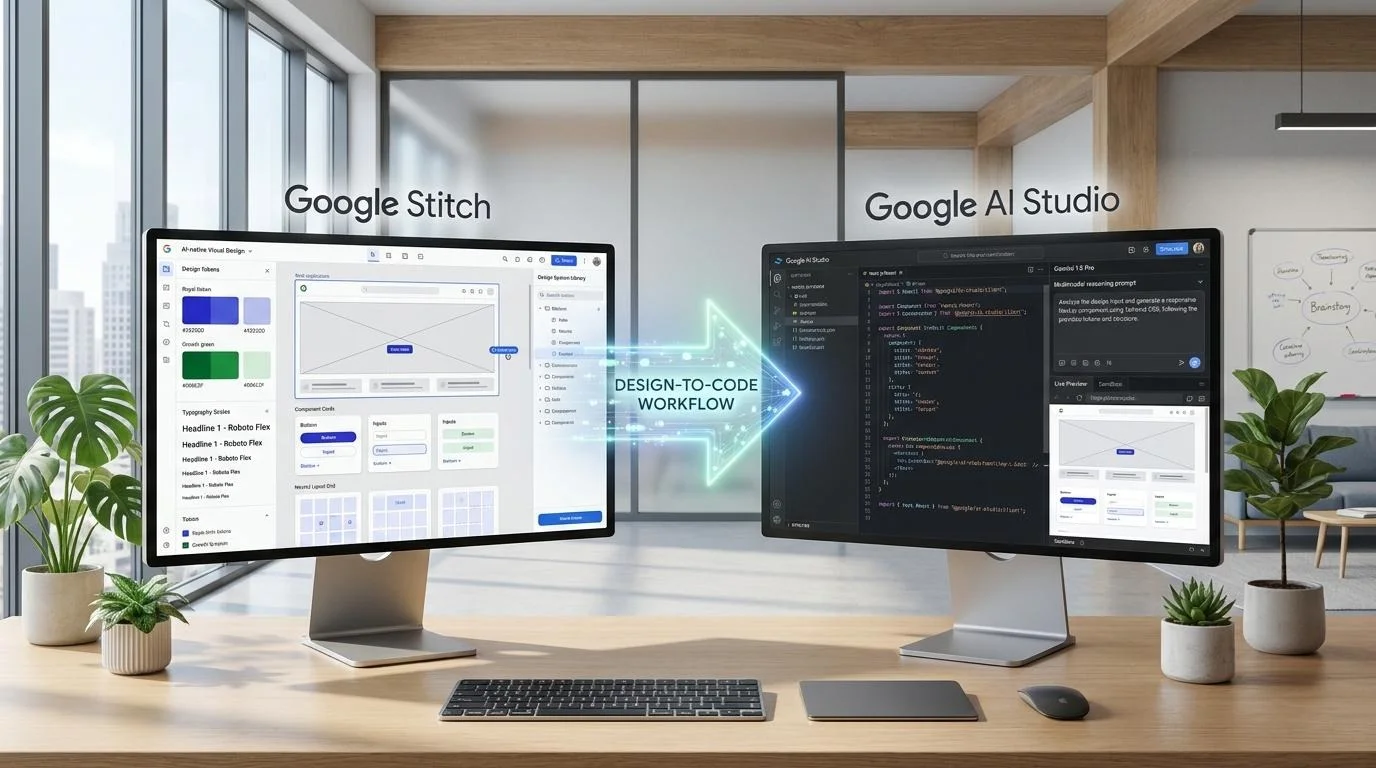
From Sketch to Working App in Minutes
For decades, the path from an initial concept to a production-grade digital experience has been paralyzed by the traditional design-development chasm. Designers spend dozens of hours constructing pixel-perfect mockups inside static vector canvases like Figma, only to throw them over an organizational wall. Front-end engineers then endure the tedious, error-prone labor of manual CSS slicing, translating arbitrary pixel values into responsive CSS rules, reconstructing UI component trees, and re-implementing basic interface state.
The pairing of Google Stitch and Google AI Studio represents a paradigm shift. Rather than treating visual ideation and programmatic engineering as disjointed phases, this workflow treats design as a formal, deterministic code artifact from the first keystroke. By combining natural language layout generation with Gemini's massive multimodal reasoning engine, development teams compress weeks of upfront scaffolding into literal minutes.
Eliminate manual component markup, CSS layout wrestling, and boilerplate responsive grid coding.
Systematic CSS variables, spacing scales, and typographical hierarchies transferred without manual drift.
Dual-input multimodal Gemini verification cross-examines screenshot pixels with DOM node hierarchies.
What Google Stitch Actually Is
A common misconception is treating Google Stitch as merely another generative AI image tool or a midjourney clone specialized in website mockups. It is fundamentally different. Stitch is Google's dedicated AI-native visual UI canvas engineered to bridge subjective design taste and computational front-end engineering.
layers A Living Canvas of Semantic Code, Not Flat Pixels
While legacy generative models return uneditable PNG or JPEG textures, Stitch computes structured layouts in real-time. Underneath its fluid drag-and-drop workspace, Stitch continuously maintains a clean, standards-compliant HTML and Tailwind CSS runtime. When you prompt it to adjust spacing, modify typographic scales, or restructure a complex dashboard navigation bar, Stitch executes structural modifications directly on DOM nodes rather than repainting bitmap images.
Design Continuity Across Views
Changes made to primary color values, padding scales, or header shells propagate intelligently to all auxiliary modal, mobile, and subpage states.
Native Responsive Viewports
Stitch natively calculates CSS breakpoints (sm, md, lg, xl, 2xl), previewing mobile drawer sheets and stacked data grids side-by-side with desktop canvases.
What Stitch Generates
Understanding the output architecture of Stitch is essential for feeding high-yield prompts into Google AI Studio. Stitch outputs four distinct, interoperable technical layers:
Semantic HTML & Utility Tailwind CSS
Synthesizes semantic tags (<header>, <main>, <aside>, <section>) coupled with deterministic Tailwind utility classes. Clean structural hierarchies with zero tangled inline CSS or arbitrary position overrides.
Structured Design Token Schemas
Standardized JSON token configurations detailing exact color variables (surface, primary, secondary-accent, borders), typography scales (display-lg down to label-sm), spacing intervals, and border-radius rules ready for dynamic theme engines.
Multi-Screen Connected Archetypes
Rather than isolated views, Stitch constructs entire interactive user topologies: master app shells, responsive navigation patterns, nested child viewports, empty-state notifications, and error boundary fallbacks mapped logically across flows.
Visual Render Snapshots (Multimodal Payload)
High-resolution raster snapshots of the compiled canvas state. When loaded alongside the raw DOM into AI Studio, Gemini performs pixel-to-token cross-checks to ensure rendered front-end code identically reflects the designer's intent.
What AI Studio’s Build Mode Does
Google AI Studio is the industrial-grade developer interface for Google's foundational Gemini models. When configured in its specialized Build Mode, AI Studio transitions from a generic conversational LLM into an autonomous front-end software architect.
Gemini 1.5 Pro & 2.0 Flash Execution Core
Harnessing the 2,000,000+ token context window for holistic code transformation.
Simultaneously reads thousands of lines of raw HTML/Tailwind alongside visual screen renders, correlating element bounding boxes directly to CSS flex properties.
Deconstructs flat, single-file DOM structures into modular TypeScript React/Next.js functional components, enforcing clean prop definitions and atomic separation of concerns.
Generates working interactive states via React hooks (useState, useEffect, useMemo), mock JSON endpoints, form validation schemas (Zod), and synthetic user interactions.
The Complete Design-to-Code Workflow (7 Steps)
Follow this deterministic, battle-tested engineering sequence to transition from an initial product prompt in Stitch to a fully typed, interactive application in AI Studio.
Define What You’re Building
Before launching Google Stitch, clearly document your system's functional architecture: target audience, viewports (desktop dashboard vs. mobile client), core user stories, and specific transactional micro-flows (e.g., checkout review, filtering catalogs, authenticating multi-factor sessions). Clarifying user flows upfront prevents fragmented prompt iterations inside Stitch later.
Generate Your UI in Google Stitch
Initialize a new canvas in Google Stitch. Input your structured prompt declaring core colors, visual density, and primary application navigation. Instruct Stitch to generate the global master application shell first—including top headers, persistent left navigation menus, and the central responsive container.
Refine the Design (Optional but Worth It)
Take 5 minutes to fine-tune typography hierarchies, padding consistency, and contrast ratios directly on the Stitch canvas. Verify how elements reflow when switching between the 1280px desktop container and the mobile viewport. Ensure all interactive triggers (buttons, tabs, inputs) have distinguishable resting and hover visual states.
Send to AI Studio (The Multimodal Payload)
Export the semantic DOM markup and structured Tailwind token schema from Stitch. Concurrently, export a high-resolution full-page screenshot of the canvas. In Google AI Studio, upload the visual screenshot as image context and paste the raw HTML markup into the prompt window.
Generate the Code with Gemini 1.5 Pro
Select Gemini 1.5 Pro in AI Studio. Set the temperature to 0.2 to maximize deterministic architectural precision and reduce stylistic drift. Provide a tailored system prompt directing the transformation.
Preview and Iterate
Review the code in AI Studio's live execution sandbox. Test stateful interactions: verify sorting and filtering on tables, modal openings, responsive mobile sidebar toggles, and form field validations. Prompt Gemini to add transitions or wire up missing sub-component event handlers in-place.
Export or Deploy
Commit the scaffolded component tree into your enterprise Git repository. Wire the synthetic state models to live REST/GraphQL APIs or server actions backed by PostgreSQL/Supabase, and deploy onto enterprise infrastructure like Vercel, Cloud Run, or AWS.
Writing Prompts That Work in Stitch
Generative UI design engines thrive on functional constraints, layout topology, and token rules—not vague visual adjectives. Follow these four core rules:
Avoid prompts like "Make a beautiful sleek crypto dashboard." Instead specify: "Create a high-density portfolio monitor with sticky tabular ticker feeds, a candlestick canvas placeholder, and segmented tabs for 1H, 24H, 7D, and 1Y."
Reference established UI mental models to rapidly calibrate spacing and layout behavior. Using "Linear-style minimalist sidebar with keyboard shortcut badges" or "Stripe-like billing summary card" grounds the model in proven interface architectures.
Direct multi-screen generation explicitly: "Generate 3 related screens: 1) Master catalog table with filter chips, 2) Slide-over detail panel with product telemetry, and 3) Empty state modal when zero results match filter parameters."
Let Stitch propose the structural rhythm on the first draft. Lock down core brand tokens (colors, font family, density), but allow the layout model freedom to explore visual groupings before tightening specific padding and element positions.
Common Issues and How to Fix Them
Solution: Stitch outputs static markup. When generating in AI Studio, explicitly command Gemini: "Convert all table pagination triggers, tab switches, dropdown toggles, and search inputs into active React state hooks (useState) with responsive mock event handlers."
Solution: Avoid abstract descriptive words. Capture a screenshot of an existing production application with the spatial density you want, upload it into Stitch alongside your prompt, and instruct it to mirror that visual density and component proportions.
Solution: Check for fixed width classes (w-[600px]). Prompt Gemini to replace fixed pixel values with fluid width constraints (w-full max-w-xl), wrap flex containers with flex-wrap, and apply mobile-first Tailwind prefixes (hidden md:flex).
Solution: AI Studio excels at creating mock APIs, but enterprise apps need resilient pipelines. Prompt Gemini to export a typed API client interface (types/api.ts) matching standard REST or GraphQL patterns, allowing seamless backend swap-outs.
Taking Prototypes to Enterprise Reality with
PC Web Design
While Google Stitch and Google AI Studio dramatically accelerate early scaffolding, translating generative UI code into high-traffic production platforms requires enterprise-grade architecture: robust security compliance, Core Web Vitals optimization, server-side caching, and persistent database integration.
Core Web Vitals & Performance
We audit and optimize AI-scaffolded DOMs, removing utility bloat and implementing lazy-loading strategies for sub-second page loads.
Full-Stack Data Wiring
Replace static JSON mock arrays with scalable PostgreSQL databases, Redis caching layers, and secure OAuth/SSO authentication.
24/7/365 Proactive Care
Continuous uptime monitoring, instant bug patches, dependency security updates, and guaranteed SLA response times worldwide.
Frequently Asked Questions
Is Google Stitch free to use? expand_more
Google Stitch is accessible via Google Workspace Labs and Google Developer preview tiers. Depending on usage volumes, API rate limits are applied via Google AI Studio credits, with generous free allotments available for developers exploring rapid prototyping.
What kind of apps can you build with the Stitch and AI Studio workflow? expand_more
This workflow excels at responsive administrative dashboards, B2B SaaS interfaces, consumer client portals, e-commerce catalog frontends, and marketing landing funnels. It gives engineers structured DOMs that can be embedded directly into Next.js, Remix, Astro, or standard React setups.
Can you edit the code that AI Studio generates? expand_more
Yes. AI Studio produces clean, standards-compliant TypeScript and JSX/TSX markup. You can edit the code directly within AI Studio's integrated editor, iterate via conversational follow-up prompts, or copy the files directly into your local IDE (VS Code, Cursor) or Git repository.
Does Google Stitch replace Figma? expand_more
Not completely. Figma remains indispensable for bespoke design systems, deep UX research flows, and complex vector illustrations. However, Stitch substantially replaces static Figma wireframing and prototyping for front-end engineers seeking immediate, interactive code deliverables.
What Gemini model powers AI Studio’s code generation? expand_more
Google AI Studio allows you to toggle between Gemini 1.5 Pro (best for deep structural context, architectural logic, and multi-file code trees with its 2M context window) and Gemini 2.0 Flash (optimized for ultra-fast, iterative UI component refactoring and instantaneous feedback).
Can you deploy apps directly from Google AI Studio? expand_more
AI Studio supports one-click export into Google Cloud environments (such as Cloud Run or Firebase App Hosting) and direct export to GitHub repositories, enabling automated CI/CD pipelines to platforms like Vercel or Netlify.
Key Takeaways
Clear Division of Ecosystem Roles
Use Google Stitch for visual UI canvas generation, design token governance, and semantic DOM scaffolding; leverage Google AI Studio (Gemini 1.5 Pro / 2.0 Flash) for multimodal reasoning, component decomposition, and full-stack logic orchestration.
Visual Code Over Static Pixels
Stitch outputs semantic HTML tags, utility Tailwind CSS, and structured JSON token schemas rather than flat images, eliminating manual CSS drafting and guesswork.
Multimodal Grounding for Zero Drift
Feeding both the exported DOM markup and high-resolution canvas snapshots into Gemini AI Studio ensures 1:1 visual fidelity and eliminates generative component hallucinations.
Prompt Functionality Over Appearance
High-yield UI prompts declare explicit layout topologies (e.g., fixed topbars, collapsible sidebars, table views), target screen counts, and user actions rather than subjective aesthetic adjectives.
State & Interactivity Require Explicit Wiring
Generative UI provides the visual shell and Tailwind styling; developers must wire React state hooks, modal triggers, client/server boundaries, and API integrations in AI Studio.
Bridging the Production Engineering Gap
While Stitch and AI Studio accelerate UI scaffolding by 85%, turning prototypes into scalable production software requires robust database wiring, Core Web Vitals optimization, and 24/7 technical support.