Optimizing Shopify Checkout for Conversion Excellence
A definitive guide to reducing friction, implementing modern payment protocols, and maximizing checkout completion rates in high-volume e-commerce environments.
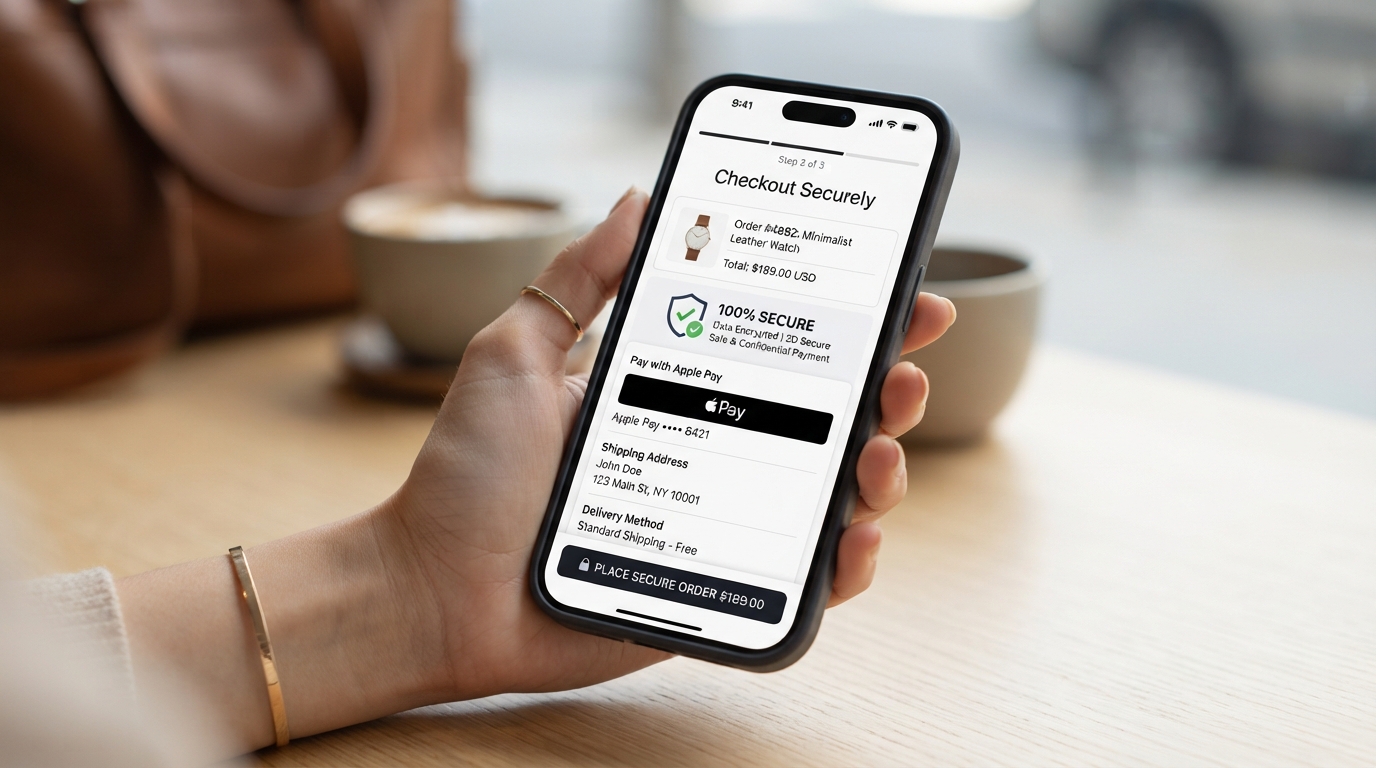
Introduction
The checkout process is the crucible of e-commerce. It is the definitive moment where intent solidifies into revenue or dissipates into cart abandonment. For enterprise Shopify merchants, optimizing this critical juncture is not merely a matter of aesthetic preference; it is a rigorous discipline rooted in user psychology, technical performance, and conversion rate optimization (CRO). Every micro-interaction, millisecond of load time, and visual cue plays a quantifiable role in the final outcome.
lightbulb Key Takeaways
- check_circle Minimize Cognitive Load: A streamlined, distraction-free checkout flow is critical for maintaining user momentum.
- check_circle Accelerated Express Checkouts: Shop Pay and Apple Pay integration provide the highest ROI, increasing conversion rates by up to 50% on mobile devices by bypassing traditional friction.
- check_circle Predictive Form Logic: Utilizing autocomplete and intelligent inline validation reduces error rates and time-to-completion significantly.
- check_circle Data-Driven Iteration: Robust analytics tracking and rigorous A/B testing methodologies are essential for continuous, measurable improvements in conversion metrics.
The Anatomy of Checkout Friction
Friction is the adversary of conversion. In the context of e-commerce, friction manifests as any element that introduces cognitive load, hesitation, or technical difficulty for the user. A high-performing checkout experience is invisible; it facilitates the transaction with such seamless efficiency that the user barely registers the mechanical steps involved.
Shopify’s inherent architecture provides a robust foundation, offering secure, PCI-compliant infrastructure out of the box. However, relying solely on default configurations leaves substantial revenue on the table, particularly for high-volume operations. Optimization begins with a relentless audit of every form field, button, textual prompt, and structural element within the checkout flow. The goal is brutal simplification: if an element does not actively propel the user toward completing the purchase, it must be removed or redesigned.
Cognitive load—the mental effort required to process information—must be aggressively minimized. This involves removing unnecessary navigation links that lead users away from the checkout funnel (the "enclosed checkout" strategy), simplifying the header and footer, and ensuring a linear, predictable path to completion.
Mobile-First Payment Optimization
With mobile traffic consistently outpacing desktop in broader e-commerce trends—frequently accounting for over 70% of total sessions in B2C verticals—a mobile-first checkout strategy is imperative. The limitations of mobile interfaces (smaller screens, virtual keyboards, susceptibility to network interruptions) amplify the negative impact of friction.
Standard checkout forms, requiring manual entry of 16-digit credit card details, expiration dates, CVVs, and multi-line shipping addresses, are inherently antagonistic to the mobile user experience. They induce fatigue, increase the likelihood of input errors, and frequently lead to abandonment.
Accelerated Checkout Options: The Highest ROI Improvement
The implementation of accelerated checkout buttons—specifically Shop Pay, Apple Pay, Google Pay, and PayPal represents the single most impactful optimization a merchant can execute, delivering the highest Return on Investment (ROI) of any CRO intervention in the checkout space.
Why? Because these digital wallets bypass the traditional form-filling paradigm entirely. They leverage pre-authenticated credentials and stored shipping data securely managed by the user's device or platform. This shifts the checkout process from a laborious data-entry task to a frictionless biometric authentication (e.g., Face ID or Touch ID).
Impact of Accelerated Checkouts on Mobile Conversion
Shop Pay, in particular, offers a compounding network advantage. By recognizing returning users across the entire Shopify ecosystem (comprising millions of merchants), it facilitates a one-tap checkout experience that drastically reduces time-to-purchase even for first-time visitors to your specific store. Benchmarks consistently indicate that merchants implementing Shop Pay observe conversion rate lifts ranging from 10% to 50% relative to standard checkout flows, while simultaneously increasing average order value (AOV) and customer lifetime value (CLV) due to the reduced friction in repeat purchasing.
Intelligent Form Field Logic
When manual data entry is unavoidable—for users who decline digital wallets or prefer traditional methods—the structure and behavior of form fields dictate the success rate. Form optimization requires moving beyond static, basic input fields to intelligent, predictive interfaces that actively assist the user.
- Address Autocomplete: Utilizing APIs like Google Places or specialized services like Loqate to suggest verified addresses as the user types is non-negotiable. This eliminates keystrokes, accelerates the flow, and critically, ensures accurate shipping data. Accurate data prevents costly downstream logistical errors, failed deliveries, and customer service overhead.
- Intelligent Inline Validation: Providing immediate, contextual feedback as the user navigates between fields is crucial. Validating an email address format or a zip code structure before the user submits the entire form prevents frustration. The validation should be constructive, pointing exactly to the error and suggesting corrections, rather than presenting a monolithic, intimidating red error block upon submission.
- Field Minimization & Consolidation: Ruthlessly eliminate non-essential fields. If a data point is not strictly necessary for fulfillment, legal compliance, or critical marketing (and even then, question its value versus the conversion risk), it should not exist in the checkout flow. For instance, default to using the shipping address as the billing address, requiring a toggle to enter a different one only if necessary. Consolidate "First Name" and "Last Name" into a single "Full Name" field where appropriate.
- Optimized Input Types: Ensure HTML input types are correctly configured to trigger the appropriate virtual keyboard on mobile devices. An email field must use
type="email"to display the '@' symbol; a phone number field must usetype="tel"to display the numeric keypad. These micro-optimizations save crucial seconds.
Architecting Trust at the Point of Sale
Hesitation at checkout is frequently rooted in anxiety regarding security, shipping costs, or return policies. The user is preparing to part with financial information and capital; trust must be continuously reinforced. Trust signals are visual and textual cues strategically placed to mitigate this anxiety proactively.
Security Assurances
Prominently display SSL indicators (padlock icons), recognized payment gateway logos (Visa, Mastercard, Amex), and concise privacy guarantees directly adjacent to the credit card input fields and the final 'Pay Now' button.
Social Proof
While extensive reviews are better suited for product pages, subtle indicators of aggregate trust—such as a small badge stating "Trusted by 10,000+ customers" or a high Trustpilot score—can provide a final nudge of reassurance.
Shipping Information Transparency
Unexpected shipping costs are consistently cited as the primary reason for cart abandonment. Ambiguity regarding delivery timelines and fees destroys trust instantaneously.
Optimization in this area requires radical transparency long before the final step of checkout. If feasible, offer a shipping calculator on the cart page or display clear thresholds for free shipping prominently throughout the site (e.g., "Add $15 for Free Shipping").
Within the checkout itself, shipping options must be presented clearly, detailing both the cost and the expected delivery window. Avoid vague terms like "Standard Shipping"; instead use "Standard Delivery (3-5 Business Days)". If free shipping is selected, explicitly display it as "$0.00" or "Free" rather than leaving the cost field blank, reinforcing the value proposition. Furthermore, clearly articulate return policies via a concise link or tooltip; knowing that a purchase is risk-free significantly lowers the barrier to conversion.
Robust Error Handling
Errors will happen—credit cards decline, network connections drop, inventory states change. How the checkout interface handles these failures determines whether the user tries again or abandons the session entirely.
Error messages must be specific, actionable, and empathetic. A generic "Payment Failed" message is unacceptable. The system must interrogate the gateway response and translate it into user-friendly guidance. For example, "The zip code entered does not match the billing address on file for this card," or "Your bank declined this transaction. Please try another card or contact your bank."
Crucially, when an error occurs, the user's previously entered data (excluding sensitive fields like CVV) must be preserved. Forcing a user to re-enter their entire shipping address because of a typo in their credit card number is a guaranteed way to lose a sale.
Cart-to-Checkout Behavior Analysis
The transition from the cart to the checkout is a critical inflection point. Optimizing this flow requires analyzing user behavior patterns. Are users adding items and immediately proceeding to checkout (suggesting high intent), or are they using the cart as a holding area for future consideration?
Implementing a slide-out cart (drawer cart) instead of redirecting to a dedicated cart page often improves conversion by keeping the user in the context of their shopping experience. From the drawer cart, providing an immediate path to accelerated checkouts (e.g., a "Buy with Shop Pay" button directly in the cart) minimizes steps.
Furthermore, analyzing the drop-off rate between the cart and the first step of checkout can highlight issues with perceived commitment or unexpected friction. Techniques like persistent cart summaries (keeping the order total visible at all times) ensure the user feels in control and aware of their impending transaction.
Advanced Abandoned Cart Recovery Frameworks
Even an optimally designed checkout will not capture 100% of intent. Cart abandonment is an inevitable reality of e-commerce, necessitating a strategic, automated recovery protocol.
Effective recovery extends far beyond standard, generic email sequences. For enterprise operations, a multi-channel framework is required.
- Strategic Email Sequencing: The first email should trigger relatively quickly (e.g., 1-4 hours post-abandonment) focusing on customer service ("Did you have trouble checking out?"). Subsequent emails (24-48 hours) might introduce subtle urgency or a dynamic discount incentive if margins allow.
- SMS Integration: Where explicit consent is granted, SMS recovery messages yield incredibly high open and click-through rates. The messaging must be concise and immediate, leveraging the intimacy of the mobile channel.
- Retargeting Ecosystems: Utilizing dynamic product ads across social platforms (Meta, TikTok) and the Google Display Network reminds the user of the specific items they left behind.
The messaging across all channels must be precise, acknowledging the abandoned state without appearing intrusive. Leveraging psychological triggers like scarcity ("Only 2 items left in stock") or reservation ("Your cart is reserved for 24 hours") can significantly improve recovery rates.
Performance and Speed Optimization
Technical performance is intrinsically linked to conversion rates. Every millisecond of latency introduces a window for distraction, hesitation, and abandonment. A slow checkout is perceived as an insecure checkout.
While Shopify hosts the checkout environment, merchants control the execution of third-party scripts, tracking pixels, and custom applications that load during the flow. Bloated tracking setups or poorly optimized apps can cripple checkout speed.
Optimization requires a ruthless audit of the checkout environment. Utilize tag management systems (like Google Tag Manager) judiciously, ensuring only essential scripts load synchronously. Defer or remove non-critical marketing pixels until the 'Thank You' page. Image assets, such as brand logos or trust badges within the checkout, must be highly compressed and served via CDN. Regular monitoring using tools like Google Lighthouse or WebPageTest is essential to ensure latency remains within acceptable thresholds (ideally under 1.5 seconds for visual completeness).
Accessibility (WCAG Compliance)
An optimized checkout must be usable by everyone, regardless of ability. Adhering to Web Content Accessibility Guidelines (WCAG) is not merely a legal requirement in many jurisdictions; it is a commercial imperative that expands your addressable market.
Checkout accessibility requires rigorous attention to HTML semantics and UI design:
- Color Contrast: Ensure all text, especially error messages and button labels, meets WCAG contrast ratios against their backgrounds.
- Keyboard Navigation: The entire checkout flow must be navigable and executable using only a keyboard (Tab, Enter, Space). Focus states must be highly visible, indicating clearly which element is currently active.
- Screen Reader Compatibility: Form fields must have proper, programmatic labels (using
<label for="...">oraria-label) so that screen readers can accurately interpret the required input. Dynamic changes, such as error messages appearing, must be announced using ARIA live regions.
Analytics Tracking and Data Integrity
Optimization is impossible without accurate, granular data. The checkout funnel must be instrumented precisely to track every step of the journey.
Implementing robust analytics (e.g., Google Analytics 4, Mixpanel) requires tracking specific events: begin_checkout, add_shipping_info, add_payment_info, and purchase. This telemetry allows analysts to build a visualization of the funnel and pinpoint exactly where users are dropping off. For instance, a high drop-off between shipping info and payment info suggests an issue with shipping costs or delivery options.
Data integrity is paramount. Ensure that server-side tracking (like Shopify's Web Pixels or the Facebook Conversions API) is implemented to mitigate the impact of ad blockers and browser privacy restrictions (like ITP), ensuring that conversion data remains accurate and actionable.
A/B Testing Methodologies
The culmination of checkout optimization is rigorous, statistically significant A/B testing. Assumptions are dangerous; data is definitive.
For Shopify Plus merchants, utilizing checkout extensibility to test UI elements, copy variations, and structural changes is essential.
- Hypothesis-Driven Testing: Never test randomly. Formulate clear hypotheses based on analytics data and user feedback (e.g., "Hypothesis: Adding a progress bar will increase completion rates by reducing user anxiety regarding the length of the process").
- Isolating Variables: Test one significant change at a time (A/B testing) rather than completely overhauling the page (multivariate testing), to accurately attribute any lift in conversion to the specific element modified.
- Statistical Significance: Ensure tests run long enough and capture enough traffic to reach statistical significance (typically 95% confidence) before declaring a winner and implementing the change permanently.
Optimization is not a destination; it is an iterative, continuous process of hypothesis, testing, and refinement, driving incremental gains that compound massively at scale.